Updated TransType for Mac works on macOS 10.6–13 Ventura (Intel & Apple Silicon) & Windows XP–11
Convert any fonts (such as Adobe PostScript Type 1) into modern OpenType fonts and into web fonts (WOFF & EOT). Organize and rename font families, blend, slant, fix fonts, add tracking and kerning, add effects.


In 2021, Adobe announced that Adobe PostScript Type 1 fonts will stop working in Photoshop 2021 and in other Adobe apps in 2023.
With TransType 4, you can easily convert your collection of legacy Adobe PostScript Type 1 fonts into rock-solid, high-quality modern OpenType fonts, and use them in any apps for years to come!

Drag-drop any number of fonts in any old and modern format: monochrome or color OpenType OTF & TTF, TTC Collections, WOFF web fonts, VFB, UFO, the discontinued Adobe PostScript Type 1 fonts. Drag-drop ZIP archives or folders that contain fonts. Open installed font.

Choose the output profile (format). When TransType produces OpenType PS (PostScript/CFF-based OTF), OpenType TT (TrueType-based TTF) or CSS @font-face web fonts, it preserves all of the original font data but optimizes it and fixes some common problems.

Choose the output destination. TransType can save the converted fonts in a folder you choose or the original font locations, and can create subfolders based on the font names. Click the Convert button and get industry-strength, cross-platform fonts that just work.


Split, merge or rename font families with just a few clicks, faster and easier than in any font converter ever before! Separate Families: each selected font will show up in the app Font menu. Merge Families: fonts will appear as styles within one family.

When TransType converts your fonts, it upgrades to the newest and finest version of the format. In 2023, PostScript Type 1 fonts will stop working in Adobe apps — convert them to OpenType PS and continue to use them for years to come.

Customize style names, styling group names and typographic family names. Set up Bold and Italic style-linking. Your font families will work in Windows, Mac and Adobe apps, without ever missing a single font style. See the video!


Create gorgeous multi-color OpenType fonts from bitmap fonts made with BitFonter, from traditional outline fonts, from SVG fonts or any other color OpenType fonts.

TransType is the first font converter in the world to support three multi-color extensions of the OpenType format: COLR, SVG and sbix!

They will work in Adobe CC 2019 apps, some Mac and Windows apps, and with our free FontLab Pad app, they work everywhere! Just imagine what you can do if you’re no longer limited to classic black-and-white!


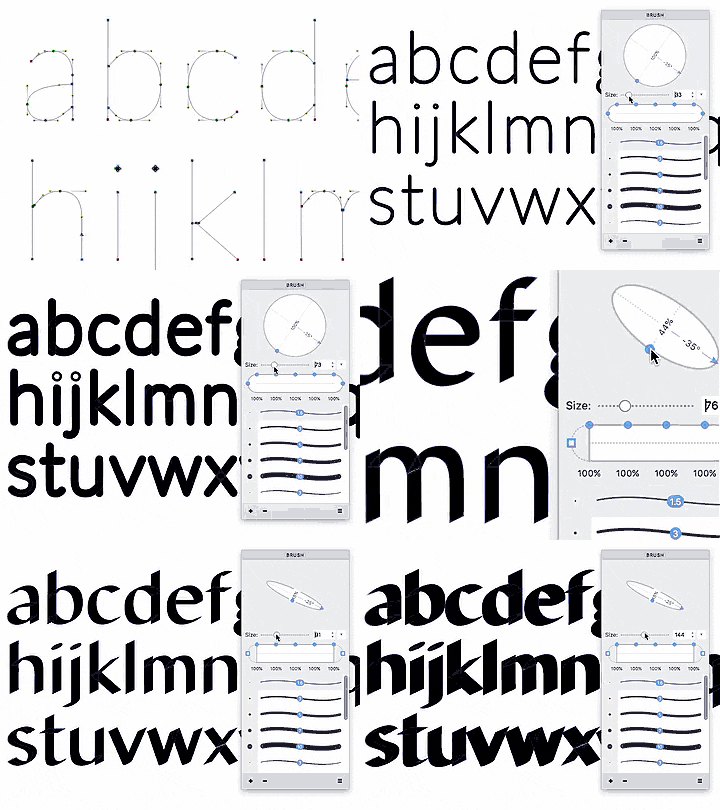
It’s not all work and no play for TransType. Be experimental: apply a special effect to any font — and voila!

With spectacularly anti-typographic effects that include Fake Italic, Smoooth, Blur them All or the Reality Distortion Field, absolutely no drawing skills are necessary to ruin one type designer’s months of hard labor.

Apply tracking and auto-kerning, blend between a light and a bold font to create intermediate weights.
Export customizable font previews and glyph maps as PDFs for your or your client’s reference.