

FontLab VI is an integrated font editor for macOS 10.12 Sierra–10.15 Catalina and Windows 7–10 that helps you create fonts from start to finish, from a simple design to a really “ultra bold” complex project, and brings a spark of magic into type design. FontLab VI is available as a 30-day free fully functional trial.
Whether you’re an expert or a beginner, you can create, open, modify, draw, space, kern, hint and export desktop, web, color and variable fonts. Your design process will be faster and more efficient with FontLab’s groundbreaking drawing tools and responsive contour operations.
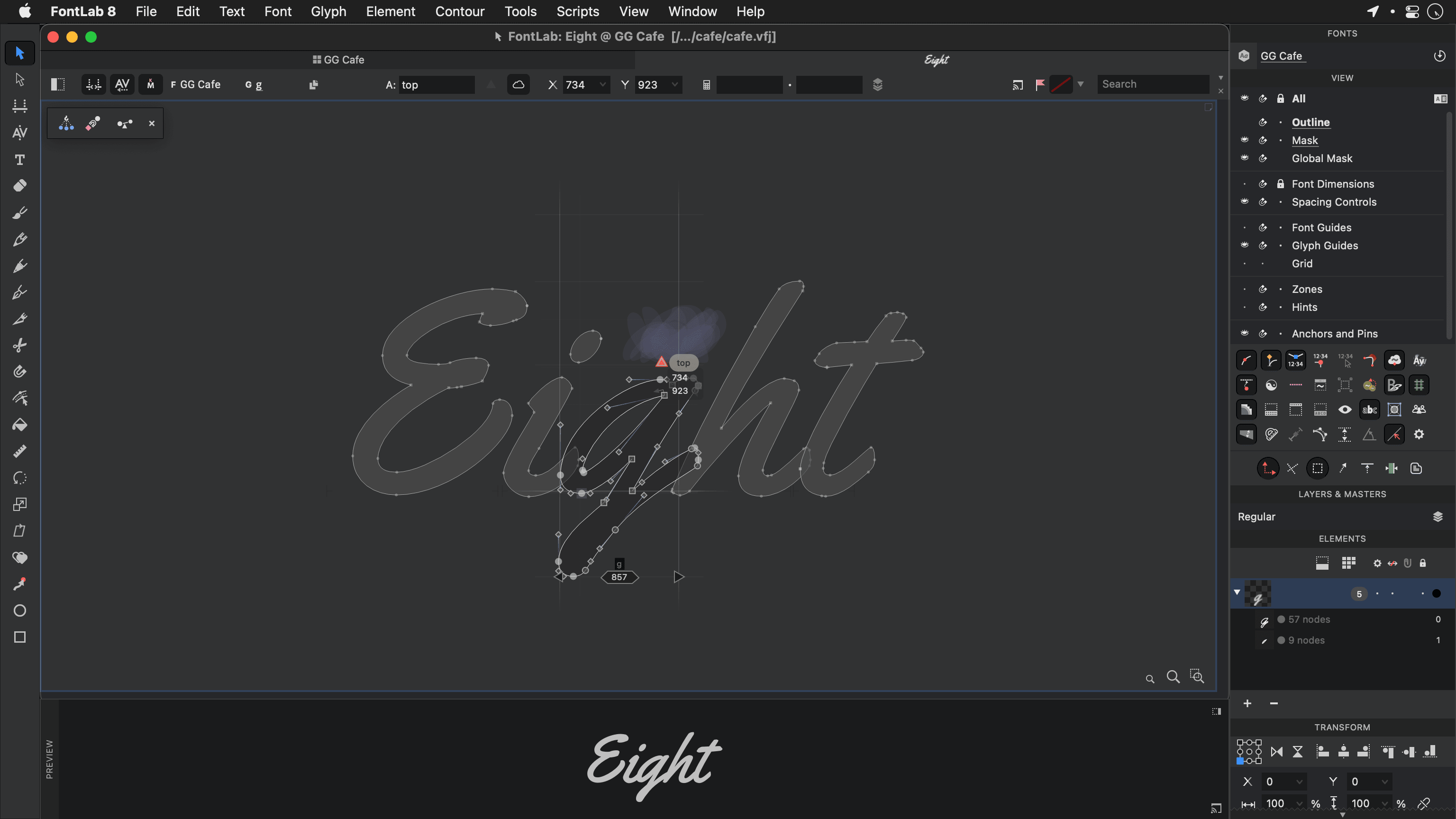
Apply the Power Brush to a “skeleton” contour for live, adjustable calligraphic strokes. Control the angle and thickness of the brush, and tweak it even after you’ve drawn. Save Power Brush presets and apply them to other contours across your font.
Our Pencil is a radical new sketching tool. Trim, tweak, modify, smooth, adjust. Nothing gets in the way of creative successive approximation — especially not the usual constraints of wrangling Bézier curves.
Our Rapid tool is a Pen on turbo. Click for a line, double-click for a curve, that’s it. FontLab knows which nodes should be extremes, and automatically makes smooth curves with your chosen node positions.
Move the Rapid handles to change the curve segment Tension, or double-click to apply the current font-wide default. Rapid is great for quick drawing of consistent shapes, or for intelligent manual tracing of a scan or background image.

If you like drawing with an industry-standard Bézier pen, FontLab VI has a great Pen tool for you. We’ve combined the best of Fontographer, FontLab Studio, and some other approaches.
And if you find a traditional Bézier pen hard, you’ll love the rest of our drawing tools.
read about PenWith our Tunni Lines, you can finally move both handles on a curve in sync, Balance their proportions and tune the curve Tension.
If you like your shapes but not where the nodes are, just Shift+Alt+Slide them to a better position along the curve, or even beyond it, without altering the existing shape.
Some nodes define a stem position, but some are Servants that just follow along when you move others.
With just one move of a node, Ctrl+Alt+Nudge handles or intelligently Power Nudge other nodes. Select and move nodes and handles across contours and multiple glyphs. Link points to Power Guides with Magnet to orchestrate major shape changes quickly and consistently.
Curve tension is a measure of how much a curve deviates from a straight line between two points, from zero to 100%. So for example, Helvetica has more tense curves than Frutiger or Myriad. A smooth outline will have constant tension, or a steady decrease or increase from curve to curve. FontLab VI not only lets you visualize curve tension, but also lets you see it numerically, edit it visually, and even use the Rapid tool to draw curves with tension set to your specifications. So if you want to make a font with more squarish curves like Helvetica or Eurostile, FontLab VI can help you draw it that way from the start.
FontLab VI can dynamically Suggest snap locations for nodes, angles and stem distances as you draw, so you’ll get equal distances — even without using our new Guides that snap and measure like no other.
See stem and whitespace thicknesses, handle lengths and angles automatically measured as you draw. Scale, rotate and slant losslessly thanks to FontLab’s fractional drawing precision and live integer rounding, apply the rounding to bake in the integers.
Harmonize your curves to make them really fluid, or “G2 curvature continuous” in math-speak. Make your node a Genius, which stays fluid even if you move the handles — view the Curvature to prove it.
Curves even stay smooth and true to their form when you Simplify a contour or remove some nodes with Eraser. No software does it better, say the mathematicians.
Our corner nodes can be clever, too. Create and adjust live rounded corners and ink traps with Smart Corners.
Use Scissors on intersections, and we will recreate overlapping contours, so you can move them independently.
Easily spot odd points and suspicious curves with the revamped FontAudit, our live outline custodian. Its intuitive problem highlighting (a nod to Tal Leming’s Glyph Nanny) and improved fixing algorithms will help you turn your outlines into pro outlines.
Draw open or closed lines and contours. In the areas created by their intersections, use the Fill tool and click to fill and Alt+click to unfill. We’ll do the pathfinding — manually setting path direction is so 1980s.

In FontLab VI, everything is color-enabled. Draw multi-color contours, bring in color outlines, SVGs and bitmap images, overlay layered fonts and create emoji or chromatic fonts for all Color OpenType-enabled platforms: Adobe Photoshop and Illustrator CC 2018, macOS, Windows 8+, iOS, Android and modern web browsers.
read about Color fontsYou’ve made your drawings somewhere else? No problem. Copy-paste glyph outlines or color vector graphics from Adobe Illustrator, FontLab Studio, or other vector drawing or font apps, import SVG drawings and bitmap images.
Arrange them on the Sketchboard, optionally turn bitmaps into smooth vector graphics using autotrace, then automatically assign the letterforms to glyphs to create a fully working font in a few minutes. No need for a separate ScanFont app!

Our Sketchboard is a a virtual desk or canvas that allows you to draw and experiment outside of any glyph. It’s great for collecting sketches, separating artwork into glyph images, or just drawing logos and symbols using all of FontLab’s juicy Bézier magic.
You can also arrange text frames showing different fonts you’re working on, and export the contents into a PDF or SVG for proofing.
read about SketchboardDrag-drop or copy-paste pixel images in most formats, with mono, grayscale, full color and transparency support. Split and autotrace or place the images into the img layer for reference to draw over them. Rotate and scale imported graphics, crop, blur, remove noise and background.
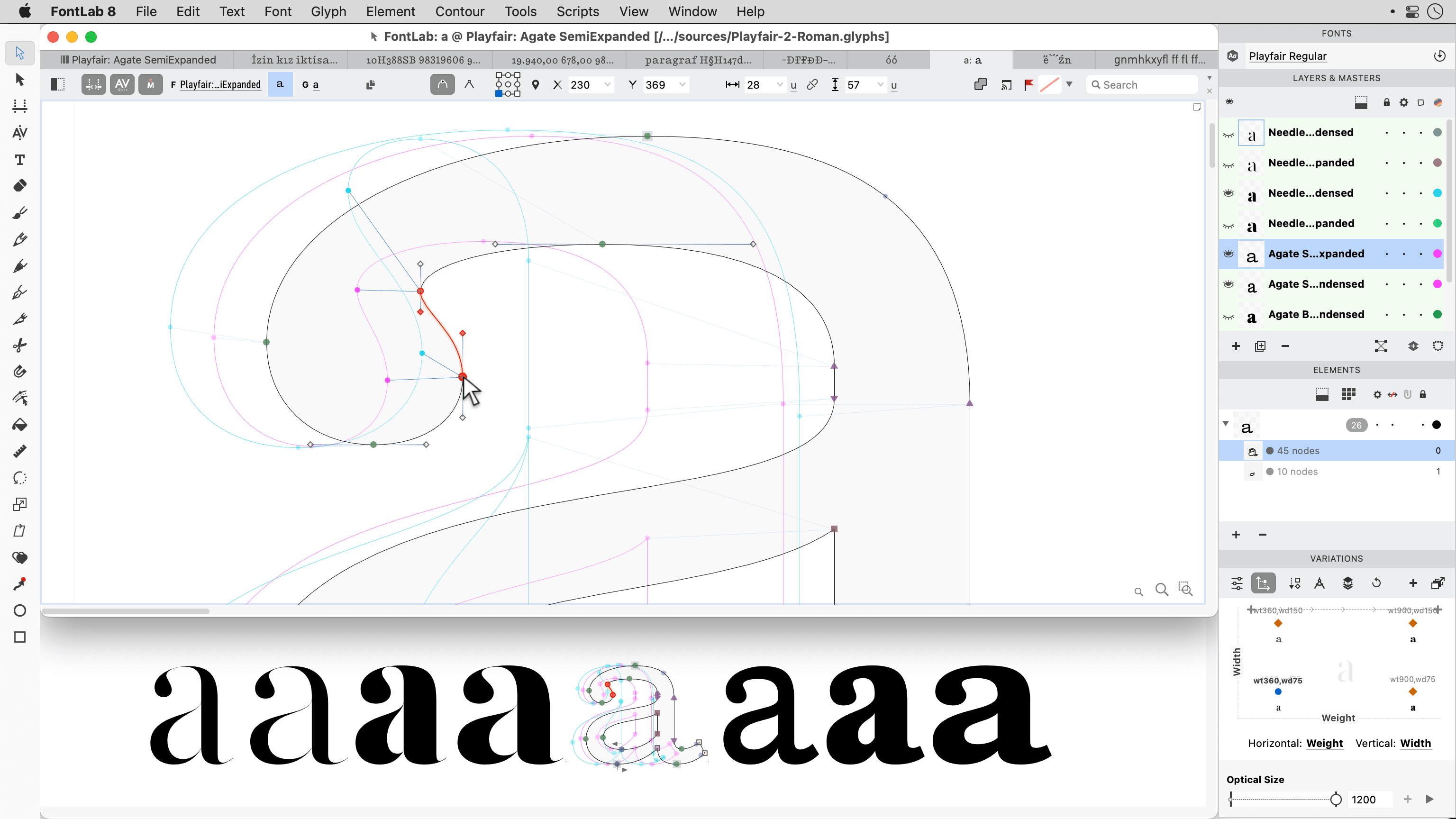
read about bitmap artworkA font family consists of fonts that have different locations on one or more design space Axes, such as width, weight, slant or optical size. To create interpolated instances or a variable OpenType font from one or more Font masters, use Font Info to add the axes and assign axis locations for all font masters within your FontLab font.
Use the Variations panel to preview and control the interpolation and extrapolation results. Switch between the glyph layers that represent font masters and glyph-specific correction masters using the Layers & Masters panel. Enable Edit Across Layers to add or remove nodes and use other contour editing tools on all masters at once.
Easily plan your Instances for an extensive font family or a variable font. With axis instances, define per-axis interpolation locations and style phrases, and FontLab will automatically build a matrix of all instances for all axes, with correct Style names and Style groups.
Change the axis order to influence auto-style naming, set your main master’s Slope to Italic for automatic italic style linking. Tweak the instances names or weight/width class, and export all or just the enabled instances in one go!
read about Instances
Thanks to our Variations engine based on MutatorMath, your Masters no longer need to stand in the MM corners, but can be placed freely within the design space. Unlimited axes, intermediate font masters, glyph masters that affect only certain glyphs give you complete freedom in designing interpolable font families and variable OpenType fonts.
FontLab VI can open MM VFB fonts made in FontLab Studio, can open and export both TrueType-based OpenType Variations fonts and UFO-based designSpace families.
FontLab VI also uses intelligent interpolation in many other areas, including the rewind feature, power nudge, and servant points.
To create intermediate designs via interpolation, you need all your glyph masters to have the same number and geometric structure of contours and nodes. FontLab can help you automatically match your masters by sorting contours, relocating start points and correcting path direction.
This can happen on the fly, or permanently — with the Match Masters command, which can even blend between two really incompatible masters, intelligently adding nodes where needed. If your masters are already point-perfect, you can disable the automation in Font Info or the Variations panel.
read about Interpolation

Whether you have two, four, seven or a dozen masters, the Matchmaker tool helps you make their point structure compatible for interpolation. Matchmaker works on Sections, which are sequences of line or curve segments.
Select the start nodes of a section across all masters, then select the end nodes of the section and click — FontLab will add, remove or relocate intermediate nodes along the section in each master to create matching structures. Wait for the green light, then enjoy a smooth ride along your axes.
read about MatchmakerPerform metrics and kerning editing in a multi-line Metrics Window, with an adjustable, distraction-free UI and intuitive keyboard shortcuts. Step through your phrases with the Pairs & Phrases panel, or dive into details using slanted sidebearings and the enhanced Measurement line.
Apply OpenType Layout features, even for complex and RTL scripts. Easily switch between glyph input, drawing and spacing without changing your workspace.
read about SpacingWant the O sidebearing to always be 60% of H? Link metrics and set up complex spacing relationships with our live math expressions engine. Bind the sidebearings and they will remain constant—even when you change the outline.
read about Linked Metrics
Class kerning is now compatible with UFO and OpenType, without key glyphs, and conflict-free. Preview the Kerning Classes clouds as you kern and compare your decisions with live autokerning suggestions.
Use the Pairs & Phrases panel to see your kerning plan, or the Kerning panel to see what’s actually in the font. Export KLTF-optimized OpenType kerning that never breaks or overflows. The main master’s kerning classes are used for all instances and the variable font.
read about KerningPosition Anchors manually or link their positions to other anchors or guides with math expressions. FontLab will display all matching diacritical marks in the Anchor Cloud, and will use your anchors to generate composite glyphs and the mark/mkmk OpenType features.
read about Anchors and Pins
Use Components to build accented letters or ligatures from other glyphs — the composite glyphs you create will inherit outlines, guides and anchors from the component sources. Or turn on Auto layer, and the metrics and component positions in the composite glyph layer will always stay up-to-date.
Use Element References and the Gallery panel to re-use smaller pieces of the design across glyphs or even within the same glyph. You don’t need to create separate glyphs for each design fragment, and you can edit a referenced Element anywhere it appears or unlink a reference to make local changes only.
When you export to TTF or UFO, FontLab will keep your Components and will convert Element References to Components whenever needed.
read about ElementsSort glyphs by the Color Flags (marks), and organize your glyphs with Tags: assign multiple labels to your glyphs, then assign the same tags to font guidelines, stems and zones, and they’ll only appear in the tagged glyphs.
Virtual tags for lowercase or overshoot glyphs are assigned automatically. All tags form classes and can be viewed with the new Classes panel.
read about Glyph Flags

Just type. We can find glyphs by glyph name, Unicode character name, script, codepage, encoding, range — you name it. FontLab also has friendly alternatives to standard glyph names built in. Use friendly names for development but export industry-standard fonts, with no added effort.
read about Glyph Search
Test your OpenType features with the built-in HarfBuzz OpenType Layout engine with complete complex-script support. Search for glyphs based on Unicode character names and Unicode scripts.
FontLab VI stays up-to-date with the latest Unicode and OpenType standards.
read about OpenType featuresWe’ve completely revamped FontLab’s beloved visual TrueType Hinting (TTH) engine, and added TTFAutohint as an alternative engine.
FontLab VI includes a true Microsoft ClearType preview (even on the Mac version), has a streamlined user interface, allows you to attach visual TTH commands to PostScript outlines and overlapping paths, and has built-in functionality to copy TTH commands from one font to another, or from one glyph in a font to a similar one.
read about TrueType hintingWe apologize for taking away your coffee break.
FontLab VI is very fast, being written in C++ and optimized for speed. Most operations are instantaneous. In some places we reduced the lag from minutes to milliseconds. Combined with a more efficient user interface, and more powerful and intuitive tools, the new FontLab will help you work faster than ever. Maybe you won’t even miss the coffee break.
Trying to duplicate a bunch of preference settings to output a specific font could be painful. With FontLab VI we have introduced Profiles for font generation.
Each profile is a group of settings for generating output fonts in a particular format. FontLab VI has a set of default profiles for all our standard output formats, and you can easily create new profiles to meet your particular needs.
read about Exporting Fonts

Type designers use various tools and workflows. FontLab VI does not lock you into a proprietary file format. Got fonts in another format? FontLab opens it: OpenType (TT, PS, Variable TT, SVG, sbix, CBDT, COLR, TTC), Web (WOFF2, WOFF, EOT), FontLab VFB, Fontographer, Glyphs, UFO, designSpace, PostScript Type 1, TrueType, Ikarus, even old Mac fonts on Windows (in a Zip container)!
Instead of reinventing the wheel, FontLab VI uses the industry’s best solutions: Adobe FDK for OpenType, Microsoft ClearType, TTFAutohint, MutatorMath, fontTools with varLib, HarfBuzz, ICU, Python (APIs compatible with FontLab Studio and RoboFab), the KLTF kerning optimizer and a SpeedPunk-style curvature view.